30+ ChatGPT Images 2.0 Prompts That Create Professional Visuals for Your Business, Brand, and Social Media
Apr 30, 2026
OpenAI dropped ChatGPT Images 2.0 on April 21, 2026, and it changed the game for entrepreneurs who need professional visuals but don't have a designer on speed dial. The new model renders readable text inside images, follows complex layout instructions, and produces photorealistic results that genuinely look like they came from a professional studio.
Translation? You can now create product photos, social media graphics, website banners, headshots, packaging mockups, and promotional materials by typing a description into ChatGPT. No Canva templates. No stock photo subscriptions. No $2,000 photo shoots.
Below you'll find 30+ copy-paste prompts organized into categories so you can start creating visuals for your business right now. Each prompt is designed to work with ChatGPT Images 2.0's strengths: text accuracy, lighting control, and detailed composition.
What Makes ChatGPT Images 2.0 Different (and Why These Prompts Work)
Before we jump into the prompts, here's why this version matters for your business. Previous AI image tools had one massive weakness: they couldn't spell. Ask for a product label that says "Midnight Roast" and you'd get "Midnght Rosat." That's not exactly client-ready.
ChatGPT Images 2.0 is the first OpenAI image model with built-in reasoning. It thinks through your request before generating a single pixel. It processes text placement, spatial relationships, and visual logic first, then creates the image. The result? Text that actually reads correctly, layouts that follow your instructions, and details that hold up under scrutiny.
It also supports aspect ratios from 3:1 to 1:3, which means you can create assets for every platform (Instagram, TikTok, YouTube, website banners, email headers) without switching tools.
Business Visuals: Product Photos, Packaging, and E-Commerce
These prompts replace what used to require a photographer, a studio, and a full day of shooting. If you sell physical products or want lifestyle imagery for your brand, start here.
Website Hero Banners and Landing Page Images
You can create expansive, high-quality images with perfect typography to greet visitors at the top of your website:
"A wide-angle shot of a person standing on top of a mountain made of giant books. The sky is a sunset orange. Cinematic lighting. In the sky, the text 'READ MORE' is written in elegant, thin gold cursive. Professional editorial style."
E-Commerce Product Photography
Instead of expensive studio shoots, you can generate clean, well-lit lifestyle or studio photos of your products to make them look highly sellable:
"Photorealistic studio product photo of a matte black water bottle on a seamless backdrop. Three-point lighting setup: large softbox key light from top-left, subtle fill from front, soft rim light from back-right to define edges. Clean reflections, realistic materials, tiny dust specks kept minimal but believable. Shot on 70mm lens, f/8 for full product sharpness, crisp detail, natural shadow under the product. Composition: centered hero shot with slight angle, premium ecommerce style. Background color: very light warm gray. Aspect ratio 1:1."
Pro tip: Swap "matte black water bottle" for your actual product. The lighting setup and camera specs in this prompt work for almost anything you'd photograph on a white or gray backdrop.
Product Packaging Mockups
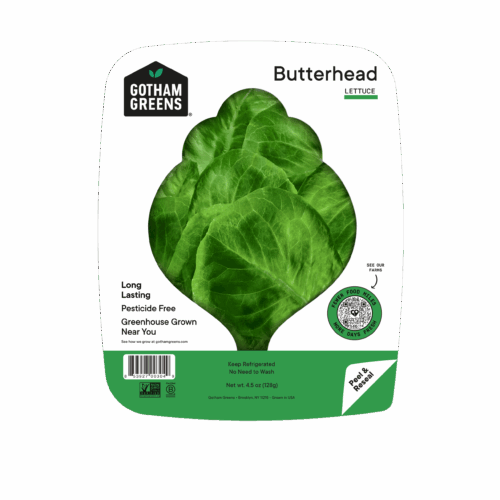
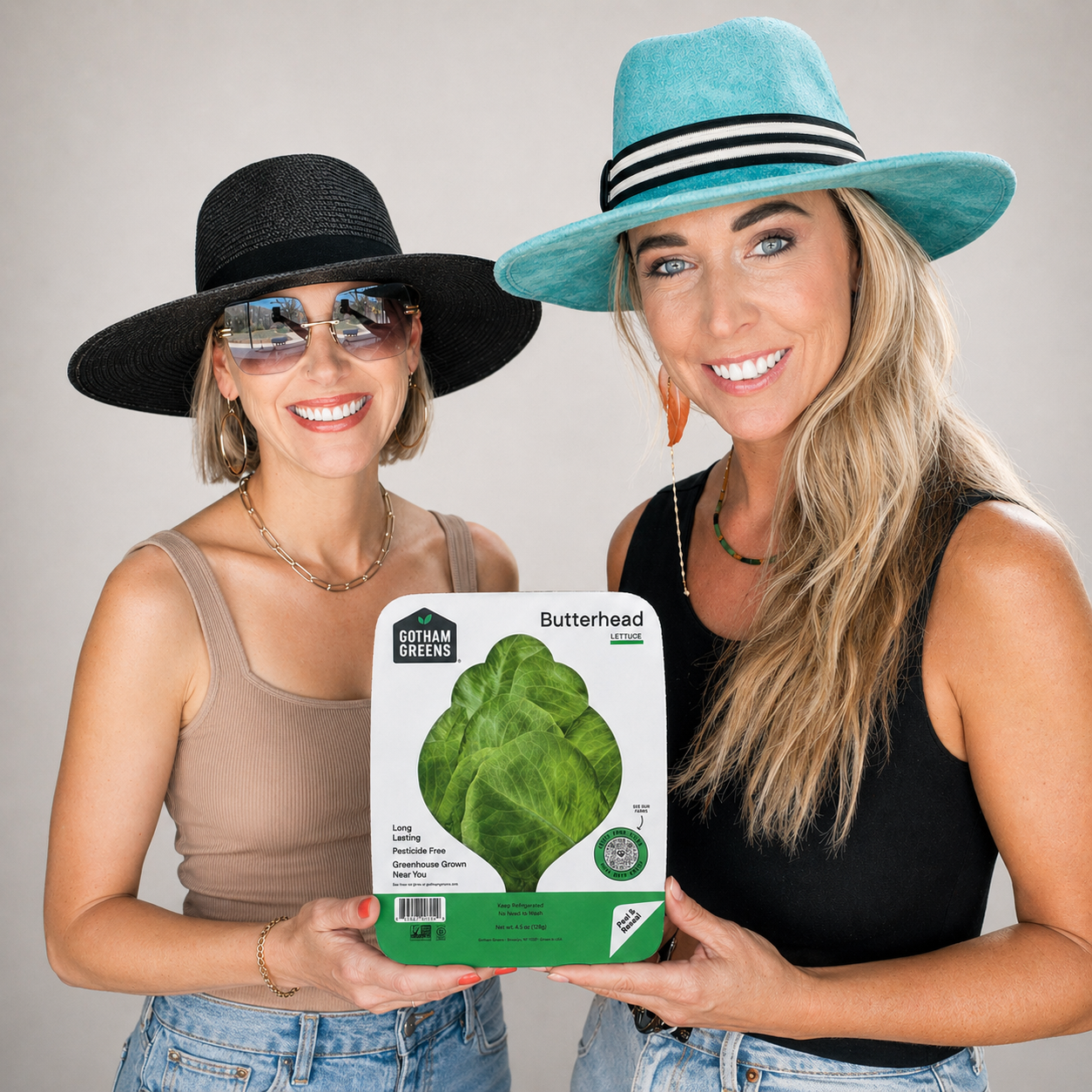
If you are designing new product lines, you can create realistic mockups of bags, boxes, or bottles featuring your exact brand copy:
"A close-up of a brown kraft paper coffee bag standing upright. The label is perfectly legible and says 'MIDNIGHT ROAST' in bold black vintage typography. Small coffee beans scattered around the base. Realistic paper texture."
Promotional Banners and Sale Announcements
You can merge stylized photography with promotional typography for holiday sales, email pop-ups, or website announcements:
"A flat-lay photograph of a high-end skincare set on a marble surface. Surrounded by pink peony petals. Soft natural light. Clean white text at the bottom reads '7-DAY GLOW' in a modern serif font."
Before-and-After Transformation Visuals
Perfect for service-based businesses (like cleaning, organizing, or renovations), the model can maintain scene consistency across two panels to show a transformation:
"1:1 before/after transformation image. Left side 'BEFORE': messy cluttered home office with papers everywhere, dim lighting. Right side 'AFTER': clean organized desk, serene natural light. Text band between the halves: 'Stop drowning in spreadsheets.' CTA bottom-right: 'Try it free →.' Brand name corner: 'FLOW.'"
Website and Content Visuals: Headers, Thumbnails, and Infographics
Your website needs strong visuals and your content needs thumbnails that get clicks. These prompts create the kind of imagery that makes someone stop scrolling.
Blog Headers and Article Thumbnails
Custom visual thumbnails with built-in text help grab attention and increase click-through rates for your content and articles:
"A split-screen image. Left side: A frustrated man looking at a messy pile of papers. Right side: The same man smiling, holding a clean tablet. High-contrast colors, expressive facial features. Central text overlay in bright yellow: 'THE FIX'."
Infographics and Process Flowcharts
Because of its advanced text accuracy, the model can generate clean, legible charts and diagrams to explain your business process or display data:
"A clean infographic showing the 3-step 'Seed to Tree' process. 1. Seed, 2. Sprout, 3. Tree. Simple flat vector icons, pastel colors. Perfectly legible numbers and titles for each stage."
Customer Testimonials and Social Proof
Turn simple text reviews into premium, magazine-quality quote cards that you can embed on your website or share on social media:
"1:1 social quote card. Soft neutral linen background. Large opening quote mark top-left in a light gray display serif. Center quote in clean serif: 'The best advice I ever got cost me $500 and saved me 18 months.' Attribution below in italic: '-- name, founder.' Bottom-right: small portrait circle. Premium testimonial aesthetic."
Software, App, and UI Mockups
If you sell digital products or software, you can generate high-fidelity interface mockups to show off features on your product pages:
"A high-fidelity mobile app UI for a crypto wallet. Showing a 'Total Balance' card with '$12,450.00' and a green 'Up 5%' trend line. Dark mode, neon green accents. Minimalist glassmorphism style."
Professional Headshots and Portraits
Professional headshots used to require a photographer, a studio, and at least $200. Now you can generate realistic, studio-quality portraits. These prompts are especially useful for team pages, speaker bios, and LinkedIn profiles.
Professional Headshots for "About Us" Pages
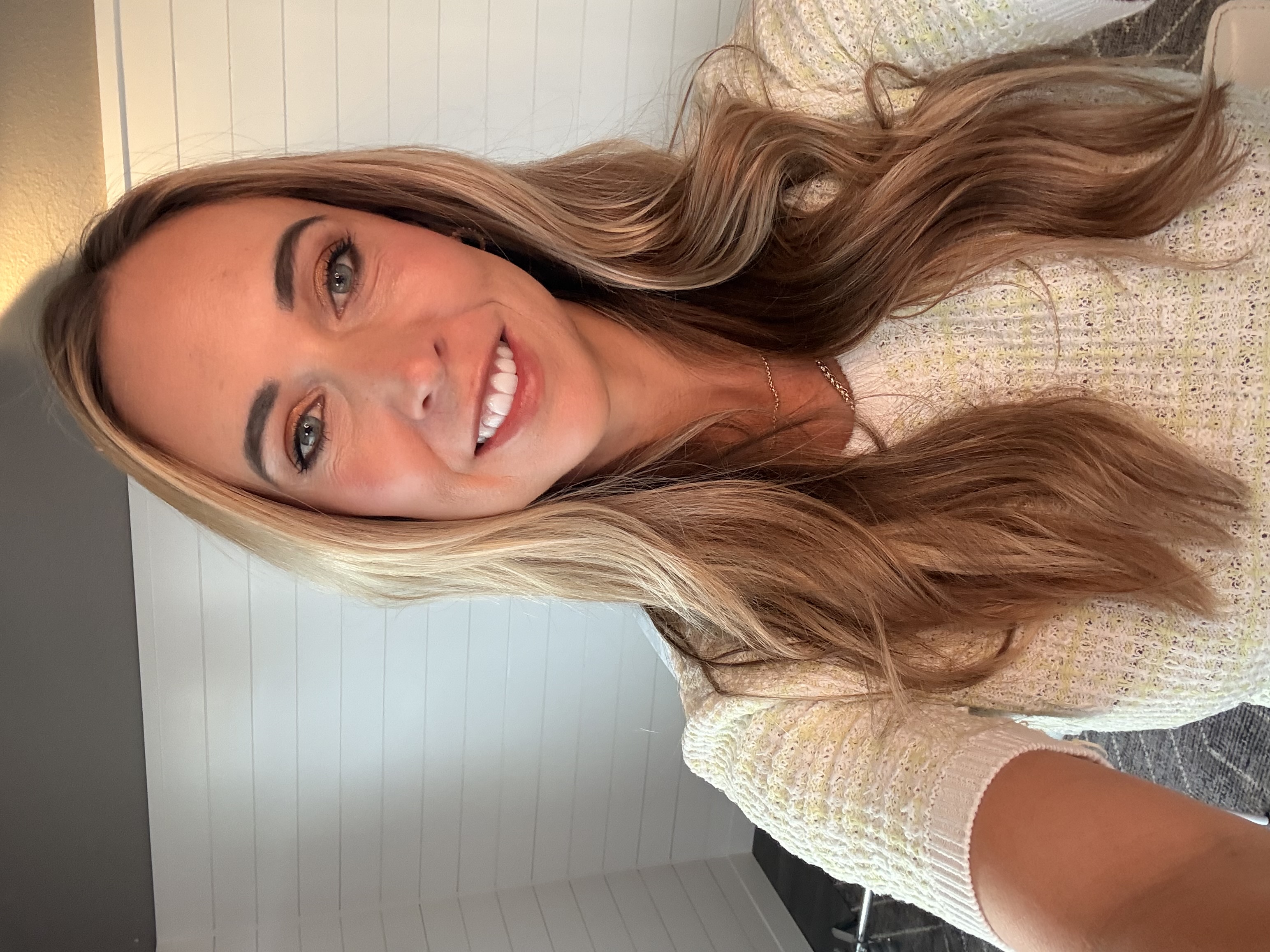
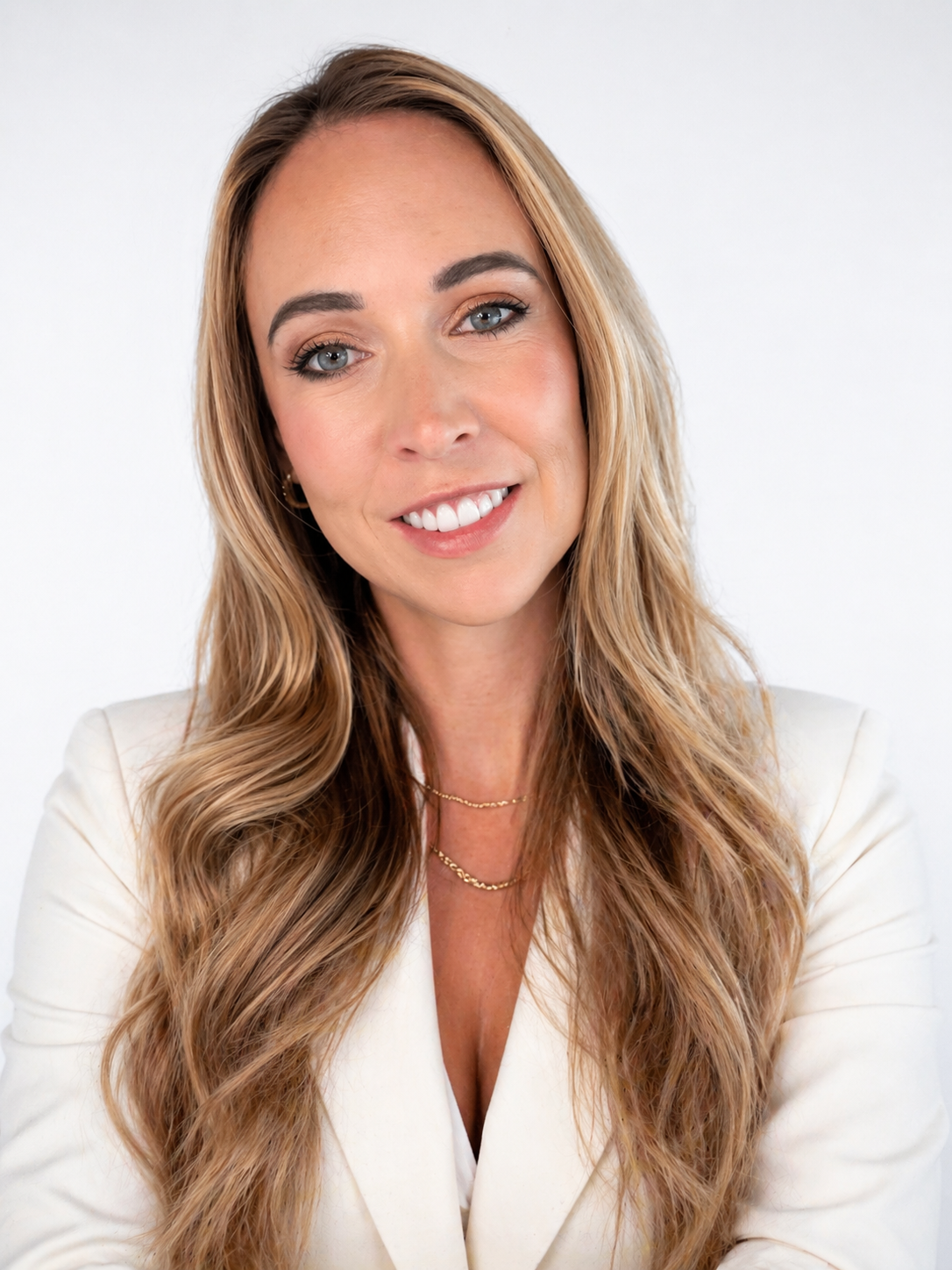
You can generate high-quality, realistic headshots for your team or personal brand that mimic expensive studio lighting:
"A professional medium-shot portrait of a confident woman in her 30s wearing a tailored navy blue blazer. Neutral grey studio background. Soft three-point lighting. Realistic skin texture, visible pores, and natural hair strands. 8k resolution, shot on 85mm lens."
The Standard LinkedIn Headshot
"Photorealistic professional headshot of a [30-year-old man / woman], friendly confident expression, natural skin texture, no heavy retouching, realistic hair detail. Lighting: soft window light from camera-left, subtle fill, gentle catchlights in eyes. Background: simple office blur, neutral colors, realistic depth of field. Shot on 85mm lens, f/2, sharp eyes, soft background bokeh. Composition: shoulders-up, centered, clean and modern. Aspect ratio 4:5."
Creative Professional Lifestyle
"A waist-up portrait of a man in a black turtleneck standing in a sun-drenched artist's loft. Large windows and blurry paintings in the background. Natural morning light with soft shadows. Authentic, approachable vibe."
Ultra-Realistic Skin and Macro Details
If your goal is to eliminate the "plastic" or over-smoothed AI look, focus on physical evidence like pores, peach fuzz, and natural oils:
"Extreme close-up photographic portrait of a 25-year-old Black woman with a medium-brown skin tone, face filling the frame from forehead to lips. Shot with a professional full-frame DSLR, 100mm macro portrait lens, f/2. Soft, diffused window or studio light creating gentle, realistic specular highlights. Clear, healthy skin with authentic texture, visible pores, fine micro-details, subtle peach fuzz. Natural skin oiliness with a soft, realistic sheen on the forehead, nose, and cheeks -- not sweaty, not glossy. No makeup, no beauty retouching, no airbrushing. True-to-life color science, editorial macro realism, indistinguishable from a real high-resolution photograph."
Always pair this with a negative prompt like: "plastic skin, waxy texture, beauty filter, airbrushed, CGI, 3D render, doll-like, uncanny valley."
Advanced Studio Lighting Setups
Specifying exact lighting setups yields highly professional, magazine-quality results. Here are three classic styles:
Classic Rembrandt Lighting (Moody and Dimensional):
"Create an 85mm portrait of a mid-30s male subject using Rembrandt lighting: main soft key light placed 45° above and to the side so a small triangle of light appears under the opposite eye, subtle fill at -3 stops, dark seamless background, skin tones natural, shallow depth of field (f/1.8), cinematic color grade, 50mm-equivalent look, film grain 8%. Studio-quality post-processing, realistic skin detail."
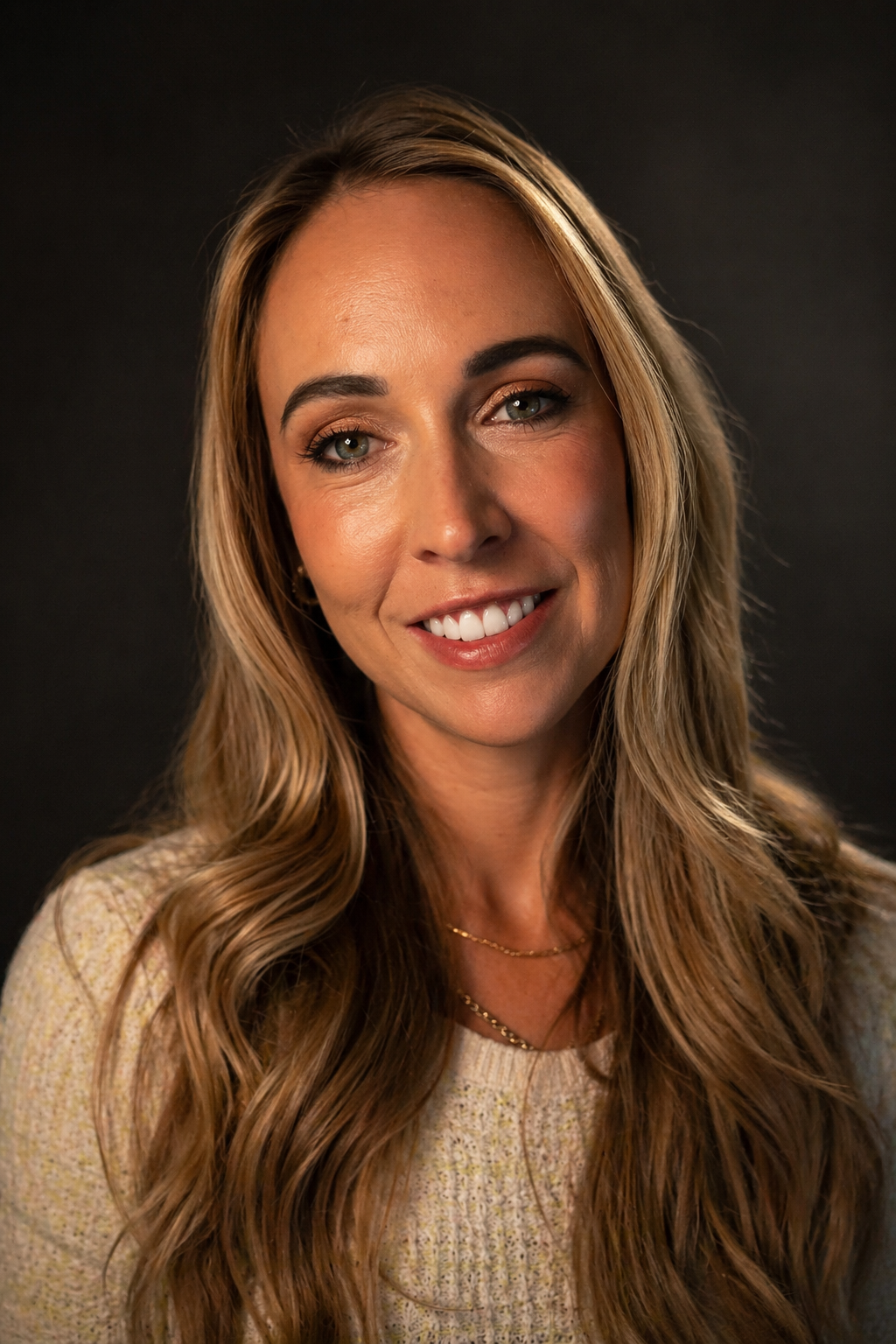
Butterfly Lighting (High-Fashion Beauty):
"High-fashion beauty portrait of a woman in her mid-20s using butterfly (paramount) lighting: main soft beauty dish directly above and slightly in front to create delicate shadow under the nose, subtle silver reflector below, high-key white background, flawless retouching, 50mm lens, f/2.2, soft skin smoothing but realistic texture, cool-toned color grading, editorial styling."
Split Lighting (Bold and Dramatic):
"Dramatic portrait using split lighting: single hard key light at 90° to subject to create exact half-face illumination, no fill on shadow side, deep black background, high-contrast monochrome or desaturated color grade, 85mm, f/2.8, strong rim separation, gritty film grain 15% optional."
Candid and Environmental Portraits
Golden Hour Street Portrait:
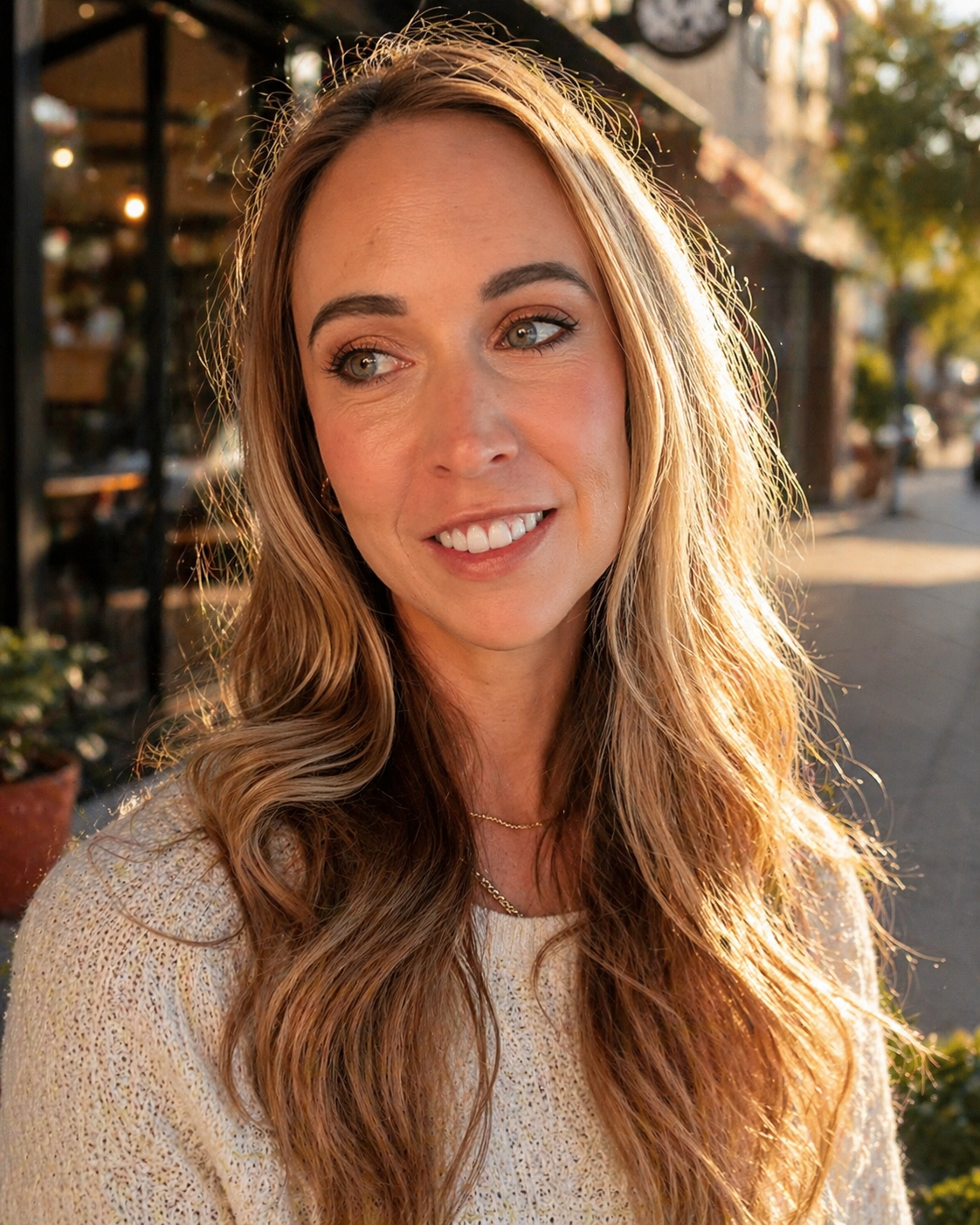
"Photorealistic candid street portrait of a [28-year-old man / woman], relaxed expression, natural skin texture, subtle imperfections, standing on a quiet city sidewalk near a corner café. Golden hour sunlight from camera-left with soft rim light on hair, warm reflections from nearby windows, gentle shadows. Shot on a full-frame camera, 85mm lens, f/1.8, shallow depth of field, creamy background bokeh, subject sharp from eyes to lips. Documentary street photography vibe, realistic color, slight film grain, no beauty retouching."
Cinematic / Artistic Silhouette:
"Generate a cinematic portrait of a solitary figure standing in an intense orange-to-red gradient environment. Strong silhouette lighting from behind, deep shadow contrast, reflective glossy floor mirroring the figure. Symmetrical composition, minimal set design, no background clutter. The mood is contemplative and powerful, like a still from a Denis Villeneuve film. Aspect ratio 16:9."
Fun, Creative, and Viral-Worthy Visuals
Not everything has to be buttoned-up. Some of the most shareable content is the stuff that makes people laugh, double-take, or screenshot for later. These prompts are perfect for engagement posts, personality-driven brands, and content that shows your fun side.
Absurd and Humorous Mashups
Because the model can reason through complex scenarios, you can ask for highly specific, ridiculous concepts treated with serious cinematic quality:
Corporate Llama Apocalypse:
"16:9 cinematic scene: corporate llama apocalypse. A fleet of llamas in business suits storming a Manhattan trading floor, throwing quarterly reports into the air. Bloomberg terminals burning. A CEO llama in the center, mid-roar, wearing a gold Rolex. Dramatic fire lighting, hyperreal."
Sentient Toast Support Group:
"1:1 sentient toast support group. Eight pieces of toast sitting in folding chairs in a church basement, each with a tiny face, sharing their traumas. Coffee and donuts in the corner. Warm sad lighting. Pixar-aesthetic."
Medieval Zoom Call:
"1:1 medieval Zoom call. A Zoom grid interface showing 9 participants, each dressed as a medieval figure -- knight, jester, queen, bishop, peasant, wizard, bard, crusader, dragon. Gallery view. The dragon is muted. Bottom toolbar has a 'UNSHEATHE SWORD' button."
Dinosaurs at the DMV:
"16:9 dinosaurs at the DMV. A T-Rex waiting in line at a cramped DMV, looking visibly annoyed. A Triceratops fills out a form with its horn. Velociraptor clerks staff the desks. Fluorescent lighting, plastic chairs, faded safety posters. Photoreal."
Unique Artistic Mediums
You can force the AI to build worlds entirely out of specific materials or retro aesthetics:
The Knitted World:
"A macro shot of a tiny forest made entirely out of colorful knitted wool. Knitted squirrels and birds. Soft, tactile texture, macro photography style."
Retro 8-Bit:
"A sprawling 8-bit pixel art landscape of a medieval castle during a thunderstorm. Purple lightning bolts. Retro video game aesthetic."
3D Vinyl Toy Style:
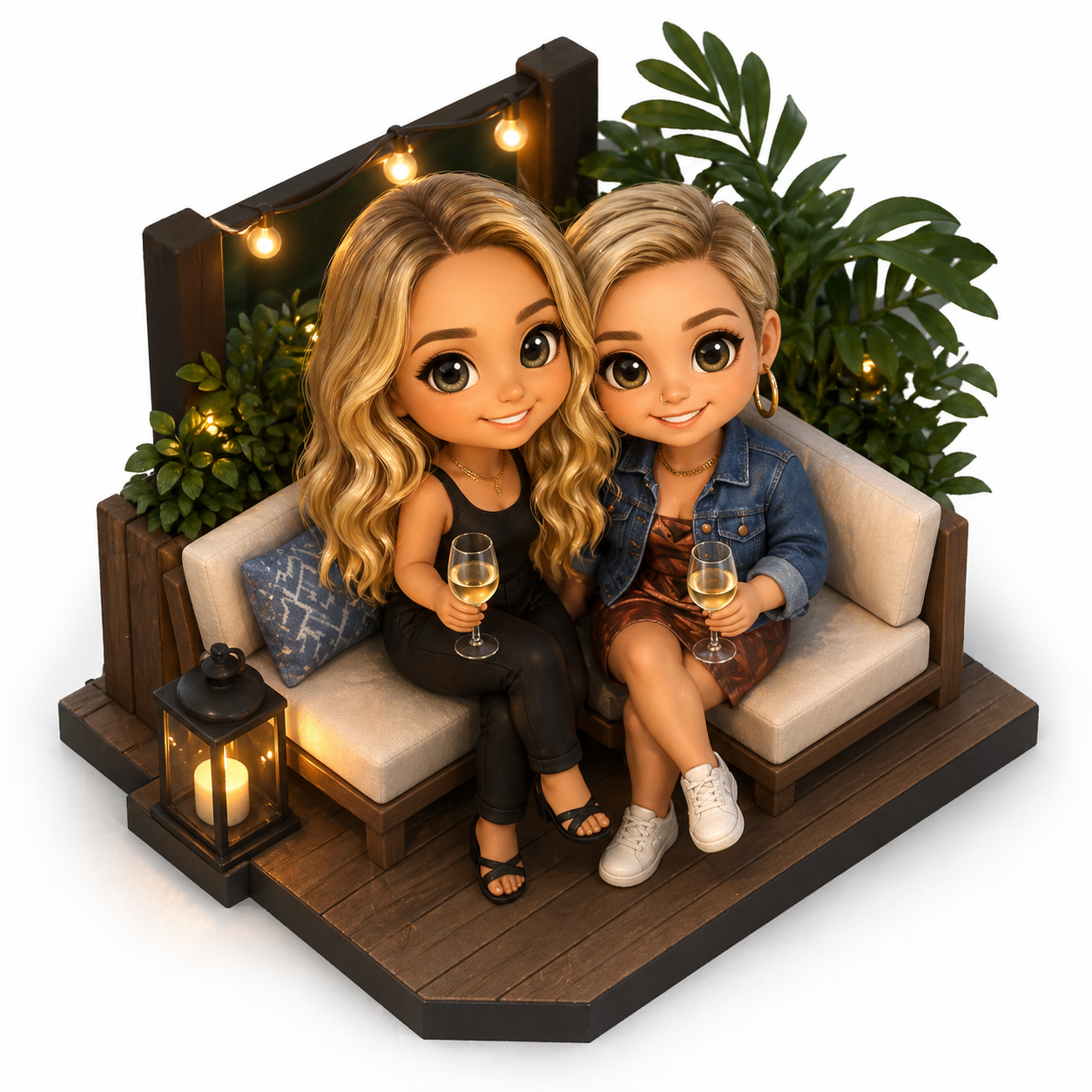
"A cute 3D vinyl toy of a robot holding a flower. Glossy plastic material, bright pastel colors. Soft studio lighting, 3D render style."
Historical Remixes:
"A high-quality 1920s black and white silent film still showing an astronaut walking through a vintage New York City street. Film grain, light leaks, authentic antique look."
Fun Photo Transformations
You can upload an existing photo (like a selfie, your pet, or your room) and use it as a base for wild transformations:
Renaissance Oil Paintings: Upload a photo of yourself or your dog and use this exact prompt: "Please turn this photograph into a Renaissance painting. Do not change the arrangement, expressions, background, or attire. The new image should overlay the original exactly."
Turn Your Room into a 3D Toy: Upload a photo of a bedroom or kitchen and ask the model to generate a "cute and tiny 3D isometric version" of the room.
Turn Yourself into a Cartoon: Upload your selfie and ask the model to recreate you in the style of a Studio Ghibli film, a Pixar animation, a LEGO minifigure, or a Simpsons character with exaggerated yellow features.
Important note when uploading a reference photo of yourself: Include the exact phrase, "Keep my facial features exactly as they appear in the uploaded image -- same eyes, nose, mouth, and face shape." Otherwise, the model may attempt to "improve" your face into a stranger's.
Creative Layouts and "Where's Waldo"
Since Images 2.0 is great at dense details and UI mockups, you can create interactive or conceptual images:
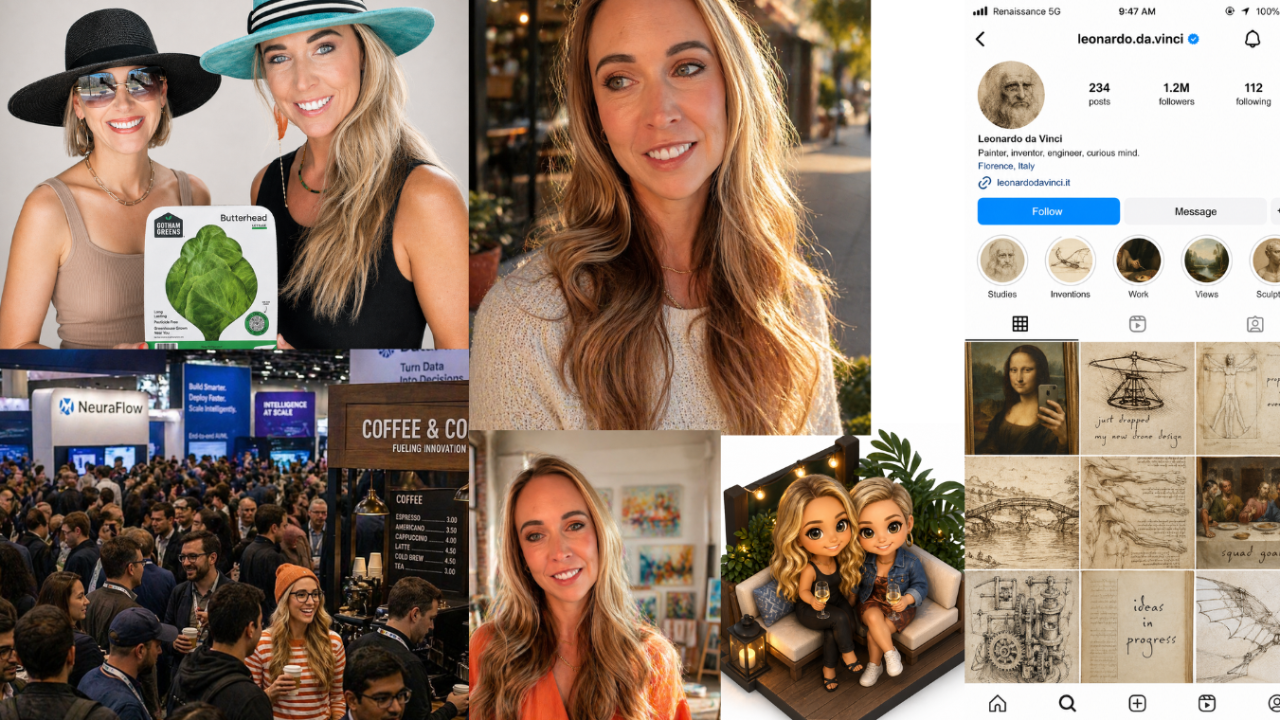
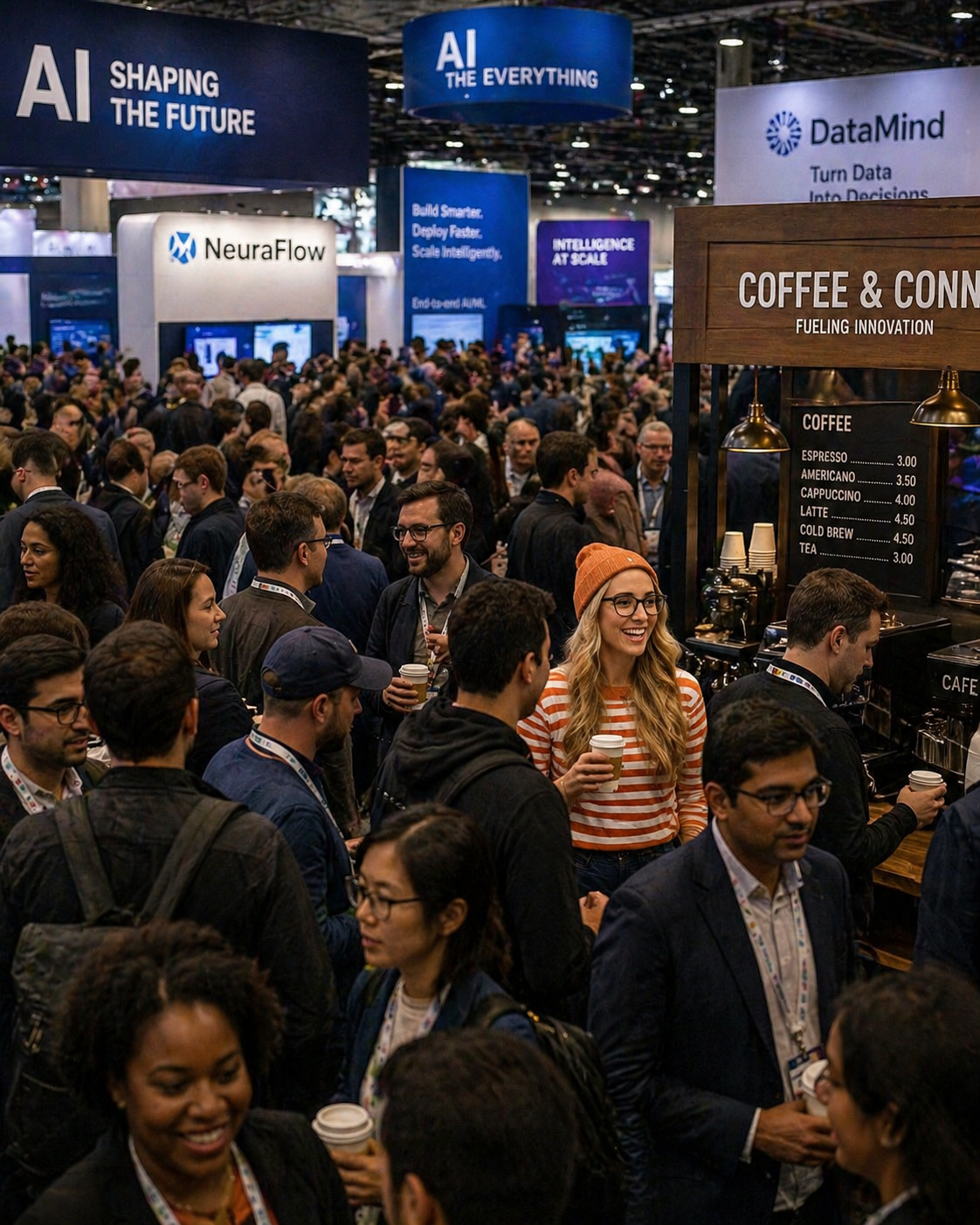
Personalized "Where's Waldo": Describe a massive, chaotic scene (like a busy tech convention or a medieval festival) and tell the AI to hide you in the crowd. Give it specific details: "Hidden in the crowd: [Your Name] wearing a red-and-white striped shirt, black-framed glasses... caught mid-laugh near the coffee station."
Anachronistic UI Mockups:
"A hyper-realistic iPhone screenshot of a fictional Instagram profile page for Leonardo da Vinci... The grid shows 9 posts: the Mona Lisa reframed as a mirror selfie, a helicopter sketch captioned 'just dropped my new drone design'... Complete iOS status bar with carrier text reading 'Renaissance 5G'."
Museum of the Desktop Era:
"Inside a museum exhibit titled 'Ancient Technology: The Desktop Era', a programmer in a glass display case is live-demonstrating coding on a CRT monitor while amazed schoolchildren press their faces against the glass... The exhibit placard reads: 'Homo Developerus'."
Comic Books and Storyboards
You can ask the AI to generate a multi-panel comic or storyboard in a single image, keeping a consistent story flowing from one panel to the next:
Office Noir:
"4-panel horizontal comic 4:1. Office setting. Panel 1: exec says 'Can we ship it by Friday?' Panel 2: engineer's face goes pale. Panel 3: whiteboard calculations smoke. Panel 4: 'We shipped it.' Flat cartoon style, 2 colors + black."
5 Pro Tips to Get Better Results from Every Prompt
These prompts work great as-is, but you'll get even better results when you understand the principles behind them. Here's what separates a decent AI image from a professional one:
1. Use specific camera jargon. Ask for exact lenses (e.g., "85mm" or "100mm macro"), f-stops for depth of field (e.g., "f/1.8" or "f/2.8"), and lighting angles. The model understands photography terminology and produces dramatically better results when you speak its language.
2. Specify your aspect ratio. ChatGPT Images 2.0 supports everything from 16:9 for banners to 9:16 for Stories to 1:1 for social posts. Always include it in your prompt so you don't waste a generation on the wrong dimensions.
3. Leverage negative constraints. Explicitly tell the model what to avoid. Phrasing like "No extra limbs, no over-smoothed skin, no plastic texture, no uncanny eyes" acts as a guardrail against AI artifacts. This is especially important for portraits and headshots.
4. One edit at a time. When editing existing images, do changes sequentially rather than stacking multiple changes in one prompt. "Remove the background" first, then "change the jacket to red" second produces better results than asking for both at once.
5. Protect your face in uploads. If uploading a reference photo of yourself, include the exact phrase, "Keep my facial features exactly as they appear in the uploaded image -- same eyes, nose, mouth, and face shape." Otherwise, the model may attempt to "improve" your face into a stranger's.
Frequently Asked Questions
What is ChatGPT Images 2.0?
ChatGPT Images 2.0 is OpenAI's newest image generation model, released on April 21, 2026. It replaces DALL-E 2 and DALL-E 3 and is the first OpenAI image model with built-in reasoning capabilities. The biggest improvement for business users is near-perfect text rendering inside images, which means you can generate product labels, social media graphics, and marketing banners with readable, accurate text in a single pass.
Do I need a paid ChatGPT plan to use Images 2.0?
Basic image generation is available to all ChatGPT users, including free accounts. However, paid subscribers (Plus, Pro, Business, or Enterprise) get access to Thinking mode, which enables web search during generation, multi-image output of up to 8 images per prompt, and self-verification for higher quality results. For most business use cases, Thinking mode produces noticeably better output.
What makes a good ChatGPT Images 2.0 prompt?
The best prompts include five elements: a specific visual style (like photorealistic or flat vector), exact composition details (camera lens, lighting setup, angle), the precise text you want rendered in the image, the aspect ratio (1:1, 16:9, 9:16, etc.), and what you want the model to avoid (negative constraints like "no plastic skin, no over-smoothed texture"). The more specific you are, the better the reasoning engine can interpret and execute your vision.
Can ChatGPT Images 2.0 replace professional product photography?
For many small business use cases, yes. ChatGPT Images 2.0 can generate studio-quality product shots with three-point lighting, clean backgrounds, and realistic materials that look like they came from a professional photo shoot. It will not fully replace a professional photographer for high-end campaigns or complex physical products, but for e-commerce listings, social media content, and marketing materials, it can save thousands of dollars in studio costs.
What aspect ratios does ChatGPT Images 2.0 support?
ChatGPT Images 2.0 supports a wide range of aspect ratios from 3:1 to 1:3, including 16:9 for website banners and YouTube thumbnails, 9:16 for Instagram and TikTok stories, 1:1 for social media posts, 4:5 for Instagram feed posts, and standard wide banner and tall vertical formats. This flexibility makes it practical for creating assets across all social media platforms and marketing channels in one session.
Can I upload my own photo and transform it with ChatGPT Images 2.0?
Yes. You can upload a selfie, product photo, or any existing image and ask the model to transform it. Popular transformations include turning photos into Renaissance oil paintings, Studio Ghibli-style illustrations, Pixar-style animations, or 3D isometric scenes. When uploading your own face, include the phrase "Keep my facial features exactly as they appear in the uploaded image" to prevent the model from altering your appearance.
Where does ChatGPT Images 2.0 still fall short?
Despite major improvements, the model can still struggle with physics accuracy, structural precision in complex architectural scenes, very small text on curved or angled surfaces, and close-up facial details in some lighting conditions. It also has a knowledge cutoff of December 2025, so it may not accurately generate prompts involving very recent products, events, or public figures. Always review generated images before publishing them.
Start Creating
You don't need to be a designer to have a professional-looking brand. You just need the right prompts and a willingness to experiment. Copy any of these prompts, swap in your own product, brand name, or style preferences, and start generating.
The entrepreneurs who figure out AI-powered visual content now are the ones who'll have a massive advantage over the next 12 months. Not because the tools are hard, but because most people still haven't tried them.
Ready to put AI to work in your business? Grab Jam's free AI Starter Toolkit at jamout.ai and start saving time this week.
Build Your Business with AI — Even If You’re Overwhelmed, Busy, or Just Starting Out
Club Jam gives you the tools, training, and AI team to launch, automate, and grow your business — all for $47/month. No tech confusion. Just fast wins.