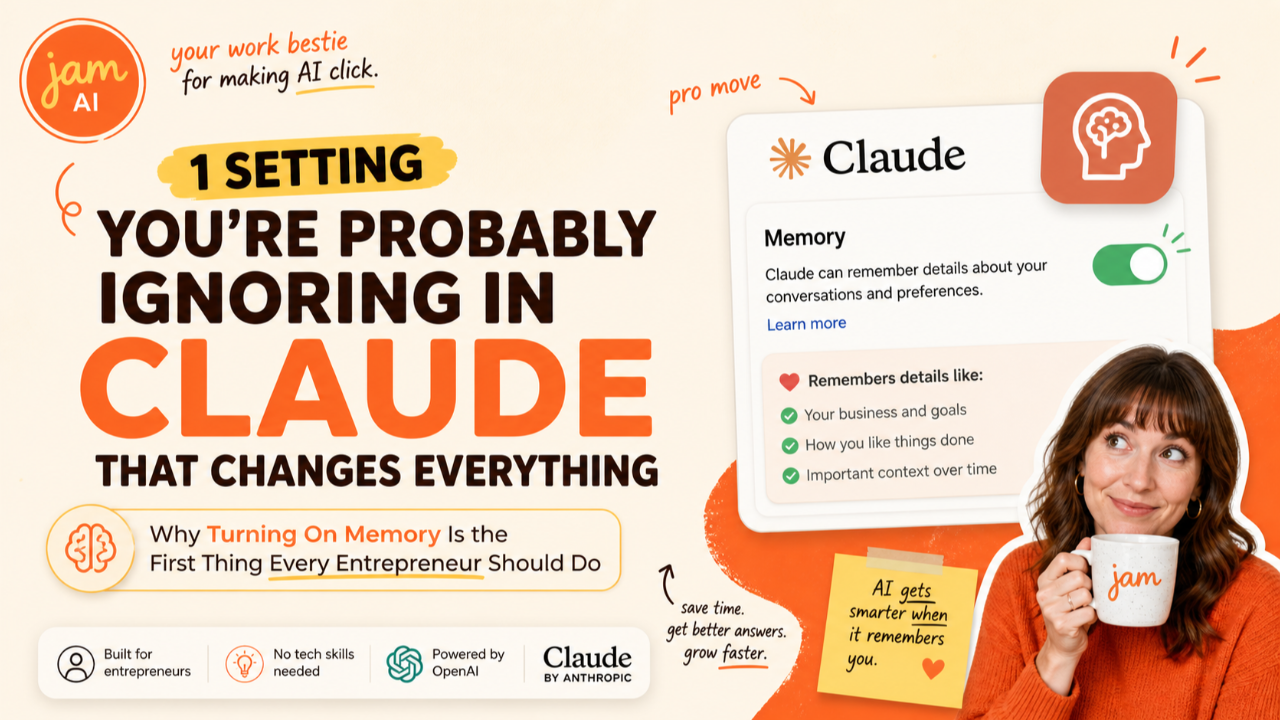
1 Setting You're Probably Ignoring in Claude That Changes Everything: Why Turning On Memory Is the First Thing Every Entrepreneur Should Do
May 05, 2026I'm going to tell you something that might sting a little.
If you've been using Claude without turning on memory, you've basically been introducing yourself to a stranger every single time you open a new chat. Your name. Your business. Your preferences. Your brand voice. Your goals. Over and over and over again.
It's like hiring an assistant who gets amnesia every time they leave the room.
And the wildest part? The fix takes 10 seconds. It's free. And it completely changes how Claude works for you.
This is one of the very first things we cover inside Club Jam's Sprint Zero to Claude, and there's a reason we start here. Because the small settings are the ones that make the biggest impact. And memory is the smallest setting with the biggest payoff.
What Claude Memory Actually Does
When you turn on memory, Claude starts learning from your conversations and carrying that context forward into every future chat. It's not recording everything word for word. It's building a profile of you: your business, your preferences, your working style, and the projects you're focused on.
So instead of starting every conversation from zero, Claude already knows the basics. It knows you run a coaching business. It knows your brand voice is warm and direct. It knows you use Kajabi for your website and Stripe for payments. It knows you're launching a new course next month.
That context changes everything about the quality of what Claude gives you.
Without memory, Claude is a generalist guessing at who you are. With memory, Claude is a partner who actually knows your business. The difference shows up in every single response.
Why This One Setting Matters More Than You Think
Here's what I see all the time with entrepreneurs who are new to Claude. They jump straight into the big stuff: writing blog posts, building content calendars, drafting emails. And the outputs are... fine. Generic. Missing that personal touch that would make them actually usable.
Then they wonder why Claude "doesn't get them."
Claude doesn't get you because you never gave it the chance to learn you. You skipped the setup. You skipped the small stuff. And now every conversation starts cold.
Inside Sprint Zero to Claude, we spend the entire first week on setup. Not because it's boring (it's actually pretty fun to watch Claude start talking like it knows you). But because the entrepreneurs who take 15 minutes to set up their foundation get dramatically better results for the entire rest of the Sprint. And the ones who skip it? They're fighting their tools instead of working with them.
The small things are the big things. Memory is the perfect example.
How to Turn It On (The 10-Second Version)
This could not be simpler:
Step 1: Open Claude and go to Settings (click your profile icon in the lower left corner).
Step 2: Click on Capabilities.
Step 3: Toggle on "Generate memory from chat history."
That's it. Memory is now active. From this point on, Claude starts building a profile of you based on your conversations. It's available on every Claude plan, including free.
One important thing to know: memory only works going forward. It doesn't go back and learn from conversations you had before you turned it on. Every chat you've had without memory enabled is context that Claude will never carry forward. So the sooner you flip that switch, the sooner Claude starts compounding what it knows about you.
What to Do Right After You Turn It On
Turning memory on is step one. Step two is giving Claude something meaningful to remember. Don't just start chatting about random topics and hope it picks up the important stuff. Be intentional about it.
Here's what I recommend doing in your very first conversation after enabling memory:
Tell Claude who you are. Your name, your business, what you do, who you serve. "I'm [name], I run [business]. We help [audience] with [thing]."
Tell Claude your preferences. How do you like your content written? Short paragraphs or long? Casual or professional? Do you use specific frameworks or terminology? "I prefer a warm, conversational tone. Keep paragraphs short. Never use the phrase 'in today's fast-paced world.'"
Tell Claude your tools. What platforms do you use? Kajabi, WordPress, Mailchimp, Canva, GHL, Stripe? When Claude knows your tech stack, it gives you advice and outputs that actually fit your setup instead of generic recommendations.
Tell Claude what you're working on. Your current launch, your upcoming event, the course you're building, the client proposal you're preparing. Context about your current projects means Claude can connect dots across conversations.
This takes maybe 5 minutes. And from that point forward, every conversation benefits from it.
The Compound Effect: Why Memory Gets Better Over Time
Here's the part most people don't realize about memory. It's not just a convenience feature. It's a compounding asset.
In week one, Claude knows your name and your business. Fine. That saves you a few seconds of typing.
By week four, Claude knows your brand voice, your content structure, your client types, your pricing model, your launch timeline, and the specific way you like things formatted. Now it's not saving you seconds. It's saving you hours. The difference between a generic draft and a draft that sounds like you wrote it.
By month three, Claude has seen enough of your work to understand patterns you might not even articulate yourself. It starts anticipating what you need. It references decisions you made weeks ago. It remembers that your audience responds better to stories than statistics. It knows your CTA style.
This is what we mean inside Sprint Zero to Claude when we talk about building a foundation. The entrepreneurs who invest in setup during Week 1 are working with a completely different AI by Week 6 than the ones who skipped it. Same tool. Same subscription. Wildly different results.
You Can Also Tell Claude What to Remember (and What to Forget)
Memory isn't just passive. You can actively manage it.
During any conversation, you can say "remember that I changed my business name to [new name]" and Claude updates its memory. You can say "forget that I mentioned my old pricing" and Claude removes it.
You can also go to Settings and view everything Claude has stored about you. Delete anything that's outdated or wrong. Add new information manually. Think of it like editing your assistant's notes about you. You want those notes to be accurate and current, not cluttered with outdated details.
Pro tip from our Sprint: Do a memory check-in once a month. Open your memory settings, scan through what Claude has stored, and clean up anything that's changed. Your business evolves. Your AI's memory should evolve with it.
The Bigger Lesson: Small Settings, Big Impact
Memory is just one example of a pattern I see play out constantly with the entrepreneurs in Club Jam. The people who get the best results from AI aren't the ones using the most advanced features. They're the ones who took the time to set up the basics properly.
Memory. User preferences. Connectors. Skills. These aren't exciting, flashy features. They're the foundation. And just like in business, the foundation determines how high you can build.
Inside Sprint Zero to Claude, we walk through all of these one by one across six weeks of daily lessons, Thursday live co-builds, and Friday community shares. Week 1 is all about setup: getting your account configured, memory turned on, preferences dialed in, so that everything you build in Weeks 2 through 6 (prompts, brand voice, tool connections, marketing workflows, real projects) is built on solid ground.
It's the difference between building on concrete and building on sand. Same materials. Completely different results.
Frequently Asked Questions
How do I turn on memory in Claude?
Go to Settings, then Capabilities, and toggle on the memory feature. It takes about 10 seconds. Once enabled, Claude automatically starts learning from your conversations and carrying context forward into future chats. Memory is available on all Claude plans including the free plan.
Is Claude memory free?
Yes. Claude's memory feature became available to all users including the free plan in March 2026. There is no additional cost to enable it. The related Chat Search feature, which lets you search through previous conversations, is available on paid plans including Pro, Max, Team, and Enterprise.
What does Claude remember about me?
Claude remembers preferences, ongoing projects, working style, and context you share during conversations. It stores things like your business type, your role, tools you use, your writing preferences, and project details. It does not store sensitive information like passwords, financial account numbers, or health records. You can view and delete any memories at any time in your settings.
Can I control what Claude remembers?
Yes. You have full control over Claude's memory. You can view all stored memories in Settings, delete individual memories you do not want Claude to keep, pause memory so Claude keeps existing memories but stops making new ones, or reset memory entirely to start from scratch. You can also tell Claude directly to remember or forget specific information during a conversation.
Will Claude remember things I said before I turned memory on?
No. Memory is prospective, meaning it only stores information from conversations that happen after you activate the feature. Previous conversations are not retroactively added to memory. This is why turning it on sooner rather than later matters. Every conversation you have without memory enabled is context Claude will never carry forward.
Is my memory data private and secure?
Your memories are private to your account and are not shared with other Claude users. Deleting a memory removes it from your account immediately. You can also opt out of having your data used for model improvement in Settings under Privacy. Claude is transparent about when it is using a memory in your conversation, so you always know when stored context is shaping a response.
What is the Club Jam Sprint Zero to Claude?
Sprint Zero to Claude is a 6-week cohort program inside Club Jam, Jam's membership community for entrepreneurs. It covers everything from initial Claude setup (including memory, preferences, and connectors) through advanced skills like custom brand voices, tool connections, and building real marketing and sales workflows. The Sprint includes daily video lessons Monday through Friday, live Thursday co-builds, and Friday community share threads.
Your Next Step
If you haven't turned on memory yet, do it right now. Literally right now. Open Claude, go to Settings, Capabilities, toggle it on. Then spend 5 minutes telling Claude about your business. That's it. You'll feel the difference in your very next conversation.
And if you want to go deeper on all of this, that's exactly what we do inside Club Jam. Sprint Zero to Claude walks you through the full setup, the daily habits, and the real workflows that turn Claude from a tool you use sometimes into the AI backbone of your business. Want to go deeper? Inside Club Jam, you get live workshops, direct feedback from Jam, and a whole community of entrepreneurs doing the work right alongside you. Come join us at clubjam.com
Build Your Business with AI — Even If You’re Overwhelmed, Busy, or Just Starting Out
Club Jam gives you the tools, training, and AI team to launch, automate, and grow your business — all for $47/month. No tech confusion. Just fast wins.
Not sure where to start? Let us help you by doing a consult. We can help you identify areas within your business that can be automated.
We hate SPAM. We will never sell your information, for any reason.